
Wait, don't go!
Before you leave, we have a special offer just for you!
Get 20% off your next purchase.
Before you leave, we have a special offer just for you!
Get 20% off your next purchase.
PRACTICAL GUIDE TO CLIENT WORK
Scope creep is easier to handle when you treat it as a project change, not a confrontation.
When a client asks for another page, another revision, new functionality, or work that was never included, the first job is not to say yes or no. It is to identify what changed and compare it with what was agreed.
This guide gives you a practical process for deciding what to absorb, what to quote, what to decline, and how to explain the boundary clearly without turning an ordinary client request into an unnecessary conflict.
Written by Renan Corbes
Last reviewed
September 20, 2026
You do not need a complicated change-control system to handle scope creep well.
Start by slowing the request down long enough to understand what actually changed.
Then make a deliberate decision instead of letting the project expand automatically.
A simple process is:
Look at the proposal, page list, deliverables, revision rules, responsibilities, emails, or whichever document defined the job.
Describe the difference in concrete terms.
Example:
“The original scope included five pages. This request adds a sixth.”
Does it add time, a deliverable, another revision round, new functionality, outside costs, or a deadline change?
Choose intentionally. A small extra can be goodwill, additional work can be quoted, and some requests can be declined.
Record what was added, what it costs, any timeline impact, and what happens next before the extra work begins.
Before agreeing to unexpected work, ask:
The goal is not to turn every small request into a negotiation.
The goal is to notice when the project changed so you can decide what to do with that change.
That distinction matters.
Sometimes absorbing a small request is excellent client service.
But it should be:
“I am choosing to include this.”
not:
“I guess I have to include this.”
Start with the record, not your memory of the project.
What deliverables were included?
How many revision rounds were included? What functionality, responsibilities, and support were defined?
What was already approved or completed?
Describe what the client is asking for now.
Identify the exact difference between the request and the agreed work.
Do not label it “scope creep” yet. First make the change concrete.
The useful conversation is not “you are asking for too much.” It is “this request adds something that was not included in the current scope.”
For example:
“The original scope included five service pages. This request adds a sixth page.”
That wording is factual.
It avoids blame.
It makes the boundary visible.
And it gives both sides something specific to decide.
Once you know the request is outside the current scope, you have three practical choices.
Absorb it.
You intentionally include the small extra as goodwill.
Quote it.
You treat the request as additional work and adjust price or schedule before starting.
Decline it.
You decide the request is outside what you want, are able, or are contracted to provide.
None of those choices is automatically correct.
Consider the amount of work.
Consider whether the request creates a precedent.
Consider whether it affects another client or deadline.
Consider whether third-party costs or unfamiliar technical work are involved.
Consider the value of the client relationship.
The important part is that you choose the response instead of drifting into it.
In client website work, many scope problems grow from a series of small automatic yeses rather than one dramatic request.
Clear decisions are easier to communicate than accumulated frustration.
You can still be flexible.
You can include a five-minute adjustment.
You can waive a small fee.
You can help a good client without charging for every tiny request.
The difference is that the exception remains visible.
If you choose to include something, say so when useful:
“I can include this one within the current project.”
That is very different from silently teaching the client that every extra request is automatically included.
The goal is not to become rigid.
The goal is to make scope decisions consciously.
You do not need to accuse the client of “scope creep.” In most cases, a calm description of the boundary is enough.
A neutral version can be as simple as:
Happy to add that. It falls outside the current scope, so I’ll send a quick quote and any timeline impact before I start it.
That response does three useful things:
It acknowledges the request.
It identifies the boundary.
It gives the client a clear path forward.
The goal is clarity, not friction. You are not rejecting the client simply because the request needs to be treated as additional work.
Do not start the extra work and negotiate the impact afterward.
Tell the client what the request changes before you commit to it.
Depending on the request, that may mean:
an additional fee, a revised delivery date, third-party costs, a new dependency, or moving another task to a later phase.
You do not need to make the impact sound dramatic.
Be specific:
“I can add the page. It will add $X and move delivery by two business days.”
Specific consequences are easier to approve than vague warnings that a request is “out of scope.”
The price should reflect the additional work rather than the awkwardness of the conversation.
If you choose to waive the fee, make that an intentional exception.
New work has to happen somewhere.
Tell the client if the request changes the delivery date before they assume the original deadline still applies.
Some requests require client content, account access, plugin licenses, third-party vendors, or another decision-maker.
Make those dependencies visible before work begins.
An urgent extra request may require moving something else.
If the new work affects another commitment, say so.
The project does not have to become adversarial just because the plan changed.
It simply needs a new agreement about what happens next.
That is the practical difference between unmanaged scope creep and a managed change.
Even when the conversation happens in chat or email, leave a clear record of the decision.
You do not need formal enterprise paperwork for every small freelance change.
For most website projects, the written record should make four things clear:
What changed
Describe the added page, revision, feature, responsibility, or post-launch request.
What it costs
State the added fee, or explicitly say that you are choosing to include it.
What happens to the timeline
Record any revised delivery date or dependency.
What happens next
Get a clear approval before starting the extra work.
A short email is often enough if both sides can later understand exactly what was agreed.
A lightweight process can be:
1. Receive the request.
Do not automatically start the work.
2. Compare it with the current scope.
Identify the exact difference.
3. Estimate the impact.
Consider time, price, dependencies, and schedule.
4. Send the change.
Explain the added work and what it changes.
5. Get approval.
Wait for a clear yes before proceeding.
6. Update your project record.
Keep the approved change with the proposal, task system, or project email thread.
The system can be simple. The important part is that additional work does not disappear into the original agreement.
Check the agreed page list first. If the new page was not included, treat it as an additional deliverable rather than quietly adding it to the project.
Useful response
“Yes, I can add that page. It is outside the current page count, so I’ll send the additional cost and timeline before I start it.”
Decision
Quote it, absorb it deliberately, or move it to a later phase.
Check how many revision rounds were included and whether the request is refinement or a change of direction. Another round may be additional work even when the individual edits are small.
Useful response
“The included revision rounds are complete. I can make these additional changes as a new revision round and send the cost first.”
Decision
Separate included revisions from extra rounds or redesign.
A basic contact form and a CRM integration are not the same deliverable. Clarify the required platform, field mapping, account access, testing, and any third-party limitations before quoting.
Useful response
“I can connect the form to the CRM. That integration was not included in the original form setup, so I’ll confirm the requirements and estimate it separately.”
Decision
Clarify the technical scope before committing.
If an approved direction is being replaced rather than refined, treat the request as reopened work. The issue is not the client changing their mind; it is the amount of completed work that must now be repeated.
Useful response
“We can change direction. Because the current design was already approved, I’ll treat the new direction as additional design work and update the timeline.”
Decision
Separate revision from redesign.
A new stakeholder can introduce useful feedback, but it can also reopen stages that were already approved. Clarify who has final approval authority and whether the new feedback changes completed work.
Useful response
“I can incorporate the new feedback. Some of it reopens previously approved work, so I’ll identify those items separately before we continue.”
Decision
Make reopened approvals visible.
Once the original website has been delivered, new requests may belong to post-launch support rather than the build. Separate fixes to delivered work from new changes requested after launch.
Useful response
“I’m happy to make those updates. Since the original project is complete, I’ll treat them as post-launch work and send a quote first.”
Decision
Move the request into support or a new task.
You cannot prevent clients from having new ideas.
You can prevent those ideas from automatically becoming unpaid work.
The strongest prevention usually happens before the next request arrives.
what is included
what is not included.
If copywriting, additional pages, premium plugins, third-party integrations, photography, or post-launch updates are separate services, say so before the work begins.
If you want to see how these boundaries show up in real website projects, continue with the examples guide:
FREE RESOURCE
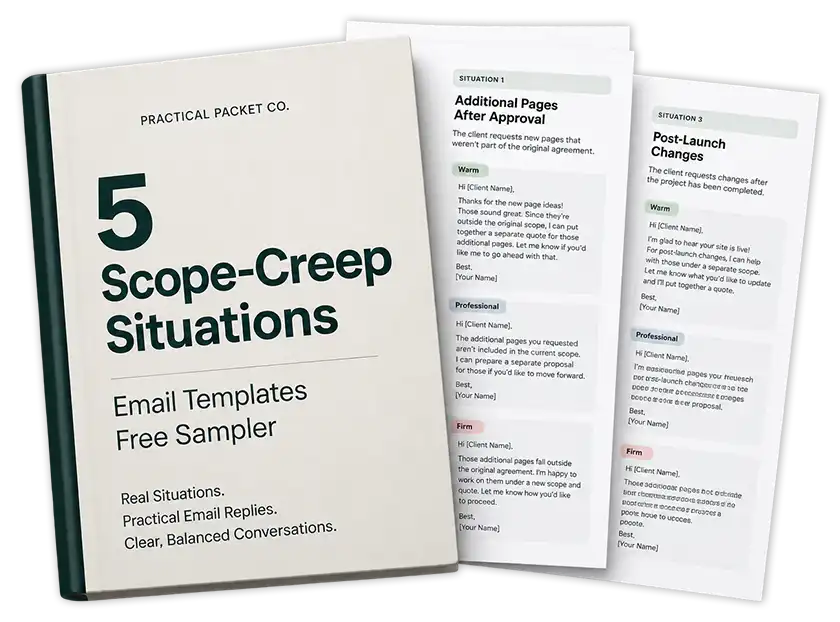
The free 5 Scope-Creep Situations sampler gives you 15 ready-to-adapt replies for common out-of-scope client requests in Warm, Professional, and Firm tones.
Learn what scope creep means, why it happens, how to prevent it, and how managed changes differ from uncontrolled expansion.
See how scope creep appears in freelance website projects, including extra pages, revision loops, integrations, reopened approvals, and post-launch requests.
Get 15 ready-to-adapt responses for common out-of-scope client requests.
Keep the wording factual and neutral.
Identify what was agreed, state what the new request adds, and explain the next step. For example: “Happy to add that. It falls outside the current scope, so I’ll send the additional cost and any timeline impact before I start it.”
Not always.
A very small request may be worth absorbing as goodwill. The important part is deciding intentionally. If the request adds meaningful time, deliverables, complexity, or rework, quoting it separately is usually clearer than silently expanding the project.
Go back to the written scope.
Compare the request with the proposal, page list, revision rules, responsibilities, or project emails. If the wording is genuinely ambiguous, clarify it with the client rather than pretending the agreement is clearer than it is.
Yes.
You can decline work that falls outside your services, capacity, schedule, or comfort level. A clear no is better than accepting work you cannot deliver well. When appropriate, you can also offer a later phase or another provider as an alternative.
Focus on the project change rather than blaming the client.
Most clients are simply asking for something they want. Explain what changed, what it affects, and what their options are. Clear boundaries can make the relationship more predictable because the client knows how additional work will be handled.
Make the scope easier to compare with future requests.
Define deliverables, exclusions, revision rounds, approval authority, client responsibilities, post-launch support, and a simple change process. You cannot prevent new ideas, but you can prevent them from automatically becoming unpaid work.
PRACTICAL PACKET NO. 001
If the process makes sense but you still lose time deciding how to phrase the actual message, Packet 001 gives you a larger working set of ready-to-send responses:
30 common scope-creep situations
90 ready-to-send replies
Warm, Professional, and Firm tones
PDF + editable DOCX

Renan Corbes is a web designer/developer with more than 15 years of experience working on client websites, including WordPress builds, redesigns, revisions, content collection, project handoffs, changing requirements, ongoing support, and the everyday communication problems that come with client work.